
Getting Started with AI Agents: A Beginner's Guide

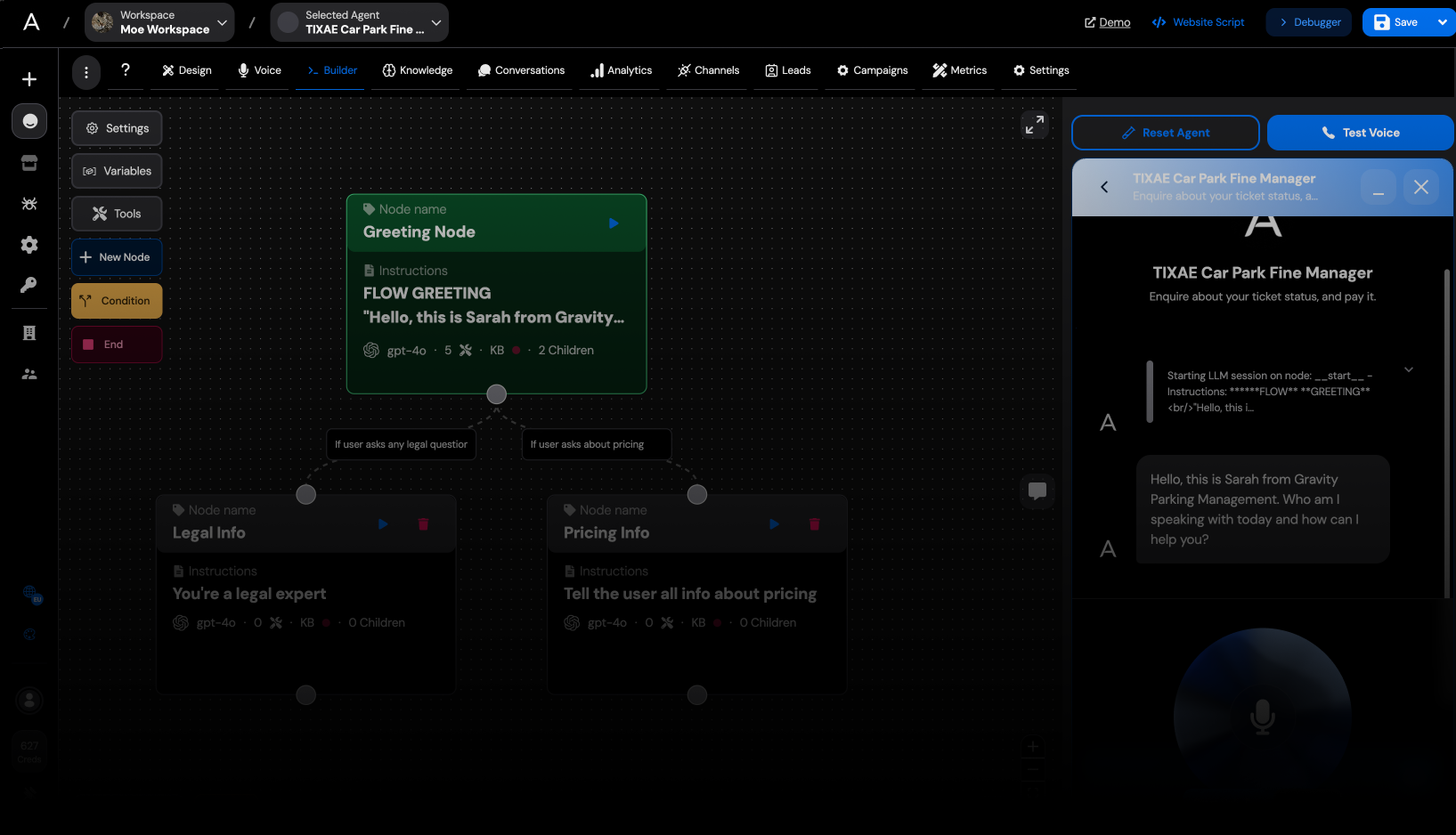
Getting Started with AI Agents: A Beginner's Guide
Artificial Intelligence agents are revolutionizing how businesses interact with customers, manage operations, and deliver services. In this guide, we'll walk you through the basics of creating your first AI agent using our platform.What Are AI Agents?
AI agents are autonomous software entities that can perceive their environment, make decisions, and take actions to achieve specific goals. Unlike traditional chatbots, AI agents can:- Process and understand complex inputs
- Make contextual decisions
- Learn and improve over time
- Handle multiple tasks simultaneously
- An account on our platform
- Basic understanding of what you want your agent to accomplish
- Sample conversations or data (helpful but not required)
- What problem will my agent solve?
- Who will interact with my agent?
- What tasks should my agent handle? For example, you might want to create an agent that schedules appointments, answers product questions, or guides users through a process.
- Start simple and expand capabilities gradually
- Use clear, conversational language
- Include variety in training examples
- Test with real users early and often
- Regularly update your agent's knowledge
Prerequisites
Before we begin, make sure you have:Step 1: Define Your Agent's Purpose
Every effective AI agent starts with a clear purpose. Ask yourself:Step 2: Create Your First Agent
1. Log in to your dashboard 2. Click on "Create New Agent" 3. Enter a name and description for your agent 4. Select a base template that matches your use caseStep 3: Configure Knowledge and Capabilities
Your agent needs information to work with: 1. Upload relevant documents 2. Connect to your website or knowledge base 3. Define custom fields and variables 4. Set up integrations with your existing toolsStep 4: Train Your Agent
Even with our advanced AI, some guidance helps: 1. Create sample conversations 2. Define how to handle specific questions 3. Test your agent with realistic scenarios 4. Refine responses based on feedbackStep 5: Deploy Your Agent
Once trained, it's time to make your agent available: 1. Choose deployment channels (website, mobile, API) 2. Configure appearance and branding 3. Set up analytics tracking 4. Publish your agentStep 6: Monitor and Improve
The journey doesn't end with deployment: 1. Review conversation logs 2. Analyze performance metrics 3. Identify areas for improvement 4. Update your agent regularlyCommon Challenges and Solutions
| Challenge | Solution | |-----------|----------| | Agent misunderstands requests | Add more training examples | | Responses lack detail | Expand your knowledge base | | Conversation feels robotic | Adjust tone in prompts | | Agent gets stuck in loops | Create fallback scenarios |Best Practices
Conclusion
Creating an effective AI agent is a journey of continuous improvement. By following these steps, you'll be well on your way to building an agent that delights users and delivers real value to your business. Ready to take your agent to the next level? Explore our advanced tutorials or contact our support team for personalized guidance.Ready to build your AI agent?
Start creating your own custom AI voice and chat agents today. Free tier available.
Get Started Free →